
Most WooCommerce store owners have Google Analytics installed. Far fewer have it set up correctly. There’s a significant difference between tracking page views and tracking what actually matters — add to cart events, checkout steps, purchase completions, refunds, product impressions. Without accurate e-commerce event data, you’re making marketing decisions based on an incomplete picture. Google Tag Manager is how you fix that.

What Google Tag Manager Actually Does

Google Tag Manager is a tag management system — a container that sits on your website and lets you deploy, manage, and update tracking scripts without modifying your site’s code every time you need to make a change. Instead of asking a developer to add a tracking pixel or update an event trigger, you do it through GTM’s interface.

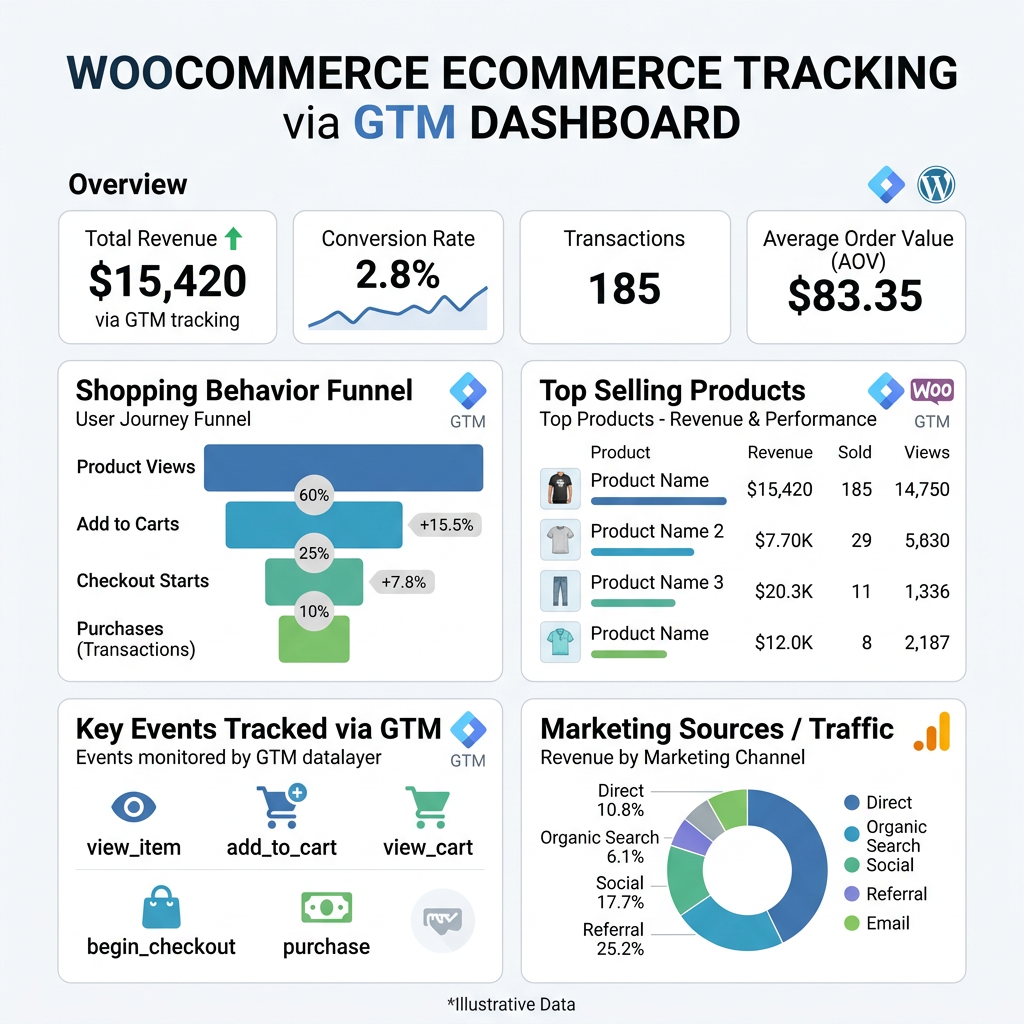
For WooCommerce specifically, GTM is what enables accurate, granular e-commerce tracking. It listens for the events your store generates — product views, add to cart actions, checkout initiations, payment submissions, order completions — and sends that data to Google Analytics 4, Meta Ads, Klaviyo, and any other platform that needs it.

The alternative — hardcoding tracking scripts directly into your theme — is brittle, difficult to maintain, and means every tracking change requires a developer and a code deployment. GTM makes your tracking stack manageable and flexible.

Why Enhanced E-Commerce Tracking Matters

GA4’s enhanced e-commerce features give you data that basic pageview tracking simply can’t provide. When set up correctly through GTM, you can see:

  • Product impression data — which products customers see in category pages and search results, and which ones they actually click
  • Add to cart rate — what percentage of product page visitors add to cart, broken down by product
  • Checkout funnel analysis — exactly which step of your checkout process is losing customers
  • Purchase data — revenue, transaction count, average order value, items per order, all attributed to the marketing channel that drove the sale
  • Refund tracking — so your revenue data reflects actual retained revenue, not gross sales

This is the data that makes real optimization possible. Without it, you know how many people visited your store. With it, you know which products are underperforming despite high visibility, where your checkout is leaking, which traffic sources are actually generating revenue versus just traffic, and what your real customer acquisition cost is by channel.

What Proper GTM Setup for WooCommerce Involves

Data Layer Configuration

WooCommerce needs to push e-commerce data into the GTM data layer — a structured JavaScript object that holds information about what’s happening on the page. Product IDs, names, prices, quantities, transaction IDs — all of this needs to be available in the data layer before GTM can send it anywhere.

This typically requires either a well-configured plugin (there are several purpose-built options for WooCommerce + GTM) or custom data layer implementation. Getting this wrong is where most DIY setups fail — if the data layer isn’t pushing accurate, complete data, everything built on top of it is unreliable.

Trigger Configuration

Once the data layer is in place, GTM triggers define when tags fire. A trigger for “add to cart” fires when that specific data layer event is pushed. A trigger for “purchase” fires when the order confirmation page loads with valid transaction data. Triggers need to be specific enough to fire reliably without firing incorrectly.

GA4 Tag Configuration

GA4’s e-commerce events have specific naming conventions and required parameters. The purchase event needs transaction ID, value, currency, and items array. The add_to_cart event needs item details. Getting the event schema right is what makes GA4’s e-commerce reports actually populate with meaningful data.

Testing and Validation

GTM has a built-in preview mode that lets you walk through your store and see exactly which tags fire on each action. GA4’s DebugView shows events arriving in real time. Both are essential for validating that your setup is working before you rely on the data for decisions. An untested tracking implementation is worse than no tracking — bad data is more dangerous than no data because it looks reliable when it isn’t.

GTM as the Hub of Your MarTech Stack

GA4 is just one destination for the data GTM collects. Once your WooCommerce store is pushing accurate e-commerce events into GTM, you can route that data to multiple platforms from a single implementation:

  • Meta Pixel and Conversions API — for accurate Facebook and Instagram ad attribution and optimization
  • Google Ads conversion tracking — so your ad campaigns optimize toward actual purchases, not just clicks
  • Klaviyo — supplementing the native WooCommerce integration with additional behavioral event data
  • Bing Ads, Pinterest, TikTok — any advertising platform that accepts pixel events

This is the real value of GTM as part of a MarTech stack. Instead of implementing separate tracking code for every platform — and maintaining each one independently when your site changes — GTM becomes the single source of truth that feeds all of them. Add a new advertising platform, add a tag in GTM. Update your checkout flow, update the triggers in one place.

Common Problems With DIY GTM Setups

GTM is accessible enough that many store owners attempt the setup themselves. The most common issues that result:

  • Duplicate purchase events — the purchase event fires multiple times for a single order, inflating revenue figures in GA4
  • Missing product data — transactions are tracked but without item details, making product-level analysis impossible
  • Incorrect currency or value formatting — values tracked as strings instead of numbers, or with currency symbols included, causing GA4 to reject or misparse the data
  • Events not firing on all checkout paths — guest checkout and account checkout handled differently, leading to incomplete funnel data
  • No server-side tracking — browser-based tracking blocked by ad blockers and iOS privacy changes, leading to significant data gaps

Any one of these makes your data unreliable. All of them together — which is common in hastily configured setups — means the analytics you’re looking at every day aren’t telling you what you think they are.

Getting Your Tracking Right

At Interactive Design Group, GTM and GA4 e-commerce implementation is a core part of the MarTech services we provide for WooCommerce stores. We configure the data layer, set up accurate event tracking, validate everything through GTM preview and GA4 DebugView, and connect the tracking to whatever advertising and analytics platforms you’re running.

If you’re not confident your current tracking is accurate — or you know it isn’t and have been putting off fixing it — get in touch. We’ll audit what you have and tell you exactly what’s working, what isn’t, and what it would take to get your data to a state you can actually make decisions from.